
Best AI Text to Video Generators: What to Use and When
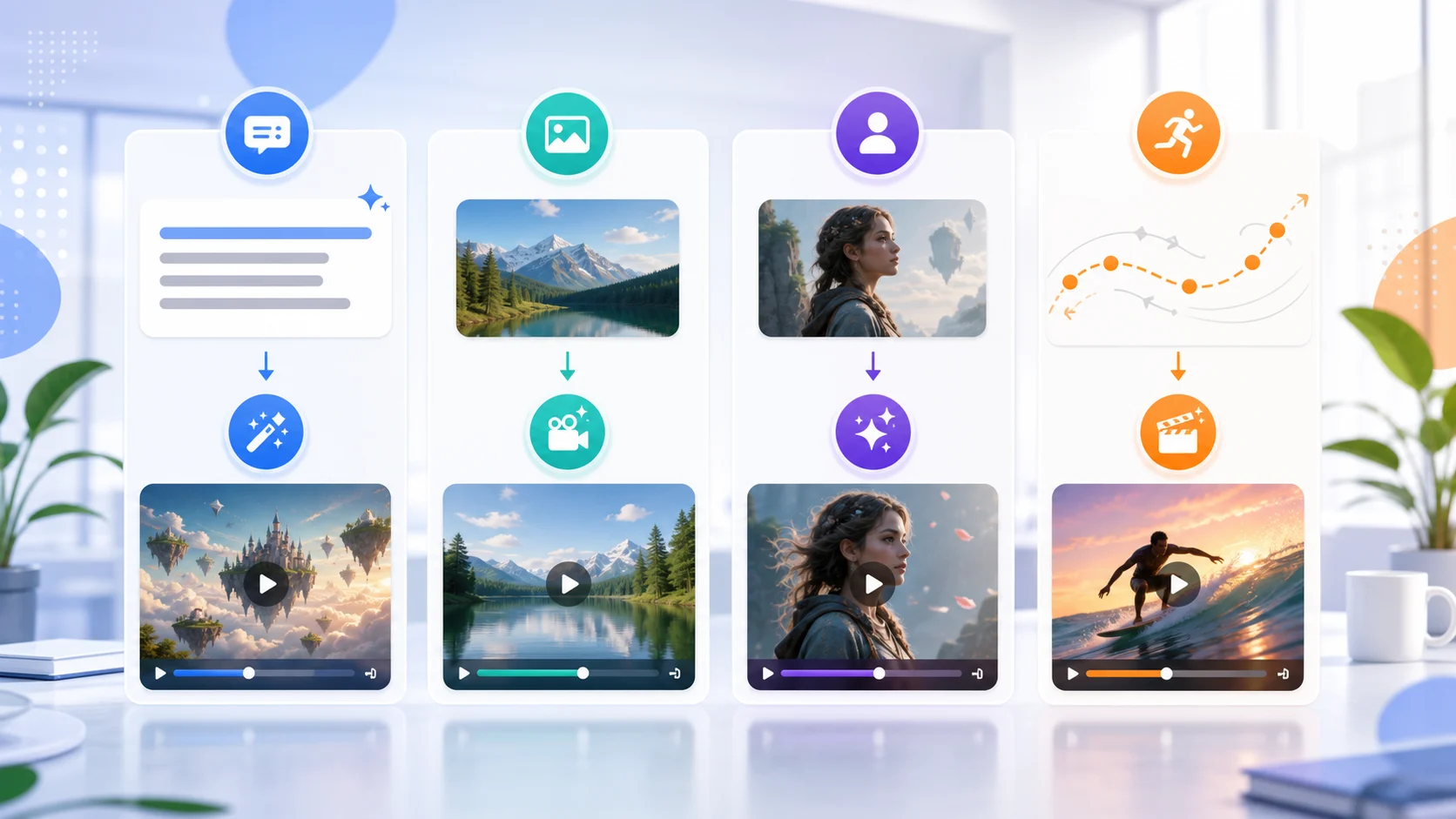
The best AI text to video generator is the one that matches your starting asset. As of May 21, 2026, most failed tests come from using a text-only workflow when the job really needs an image, reference, or motion guide. Pick the workflow first, then write the prompt.
This comparison is practical: use it to decide where to start before you spend time chasing a perfect generated clip.
Quick recommendation
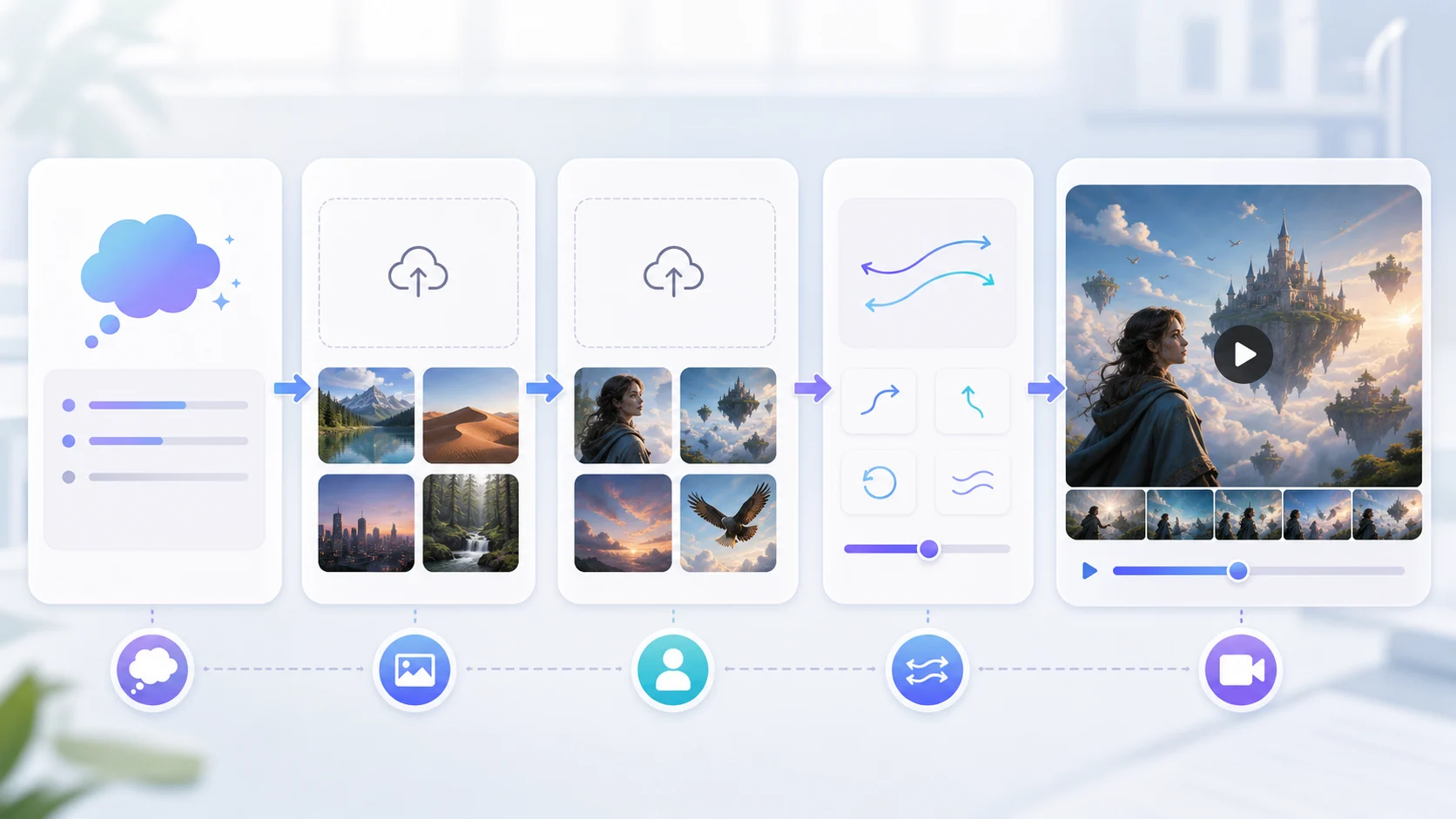
Use text to video when you have an idea but no image. Use image to video when you already have a product photo, portrait, room photo, or artwork. Use reference to video when a specific style or character must be preserved.
| Workflow | Best for | Watch out for |
|---|---|---|
| Text to video | Concepts, mood tests, storyboard clips | Subject may change because nothing anchors it |
| Image to video | Products, portraits, social clips from photos | Source image quality controls the result |
| Reference to video | Character art, style guidance, visual consistency | Reference must be clean and rights-safe |
| Motion control | Copying a camera move or action direction | Needs a clear motion target |
| One-click effects | Fast social templates | Effect must match the photo and consent context |
If you are unsure, start with the smallest preview that can answer the question: does this idea move well enough to continue?
When text to video is the best fit
Text-first generation is strongest when exact identity does not matter. It is good for early creative direction, ad concepts, social backgrounds, and quick mood boards.
A good text prompt includes:
- one subject
- one setting
- one camera move
- one motion detail
- one stability rule
Example:
minimal product concept scene, clean studio table, slow camera push in, soft light sweep, keep the subject centered and the background simple
Open the AI video generator for this kind of prompt-first test.
When image to video is better
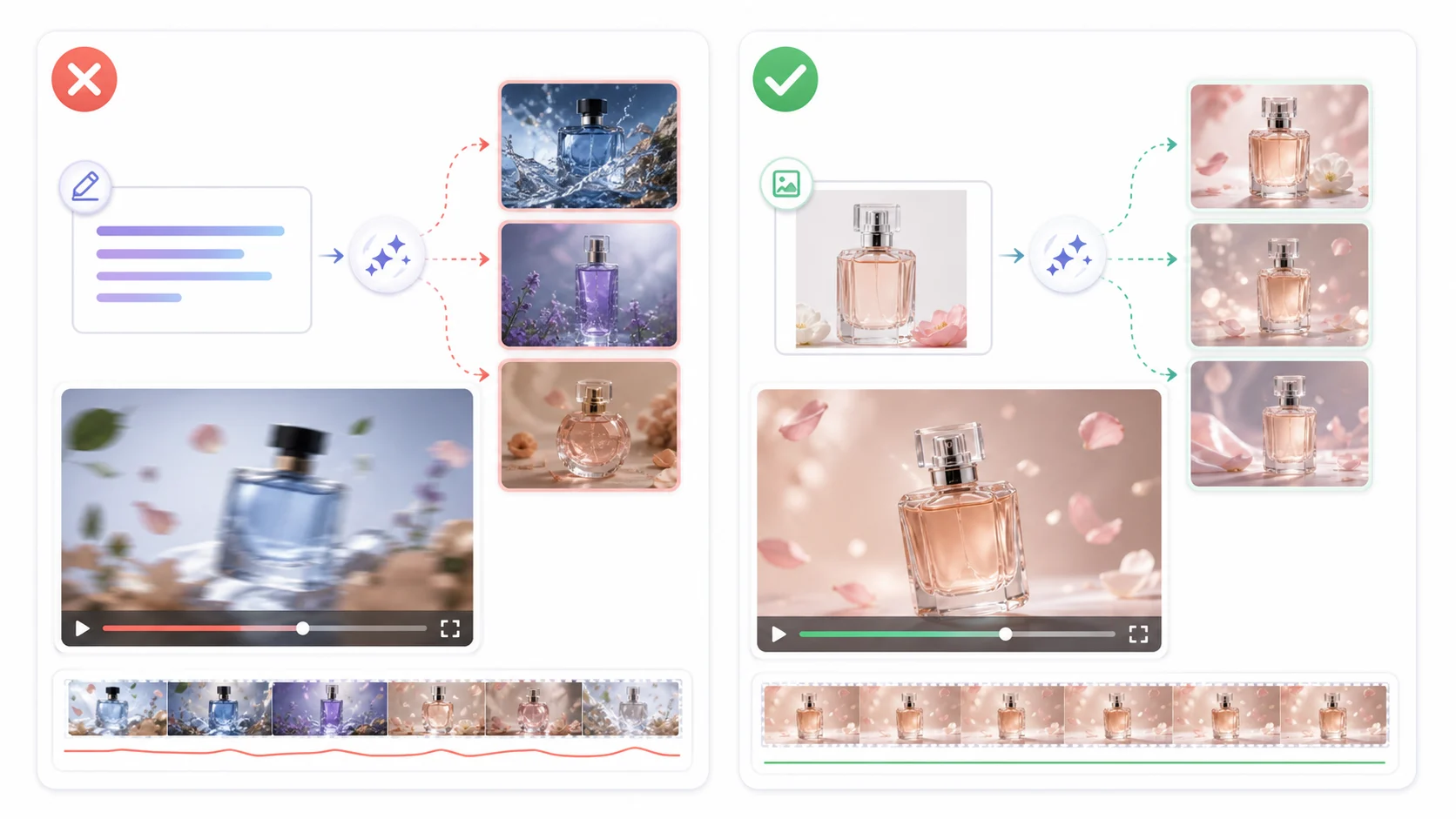
If the clip needs to preserve a real object, start from an image. Product photos, real estate rooms, portraits, food shots, and event photos all benefit from a visual anchor.
Image-to-video is usually the faster choice for:
- ecommerce product clips
- TikTok or Reels posts from one photo
- birthday or wedding greeting videos
- real estate room pans
- old family photo animation
Use the image-to-video workflow when the image is the asset and the prompt only needs to describe motion.
When reference or motion tools matter
Reference workflows are helpful when the look matters as much as the motion. Character art, mascot designs, branded style frames, and concept art can drift if you describe them only in words.
Use reference to video when you want the model to preserve a design. Use motion control when the movement itself is the main requirement.
The rule is simple: text defines the idea, images define the subject, and motion references define how it should move.
How to compare AI video generators
Do not compare tools only by headline features. Compare them by the work you need to finish.
| Question | Why it matters |
|---|---|
| Can I start without a long setup? | Fast previews help you test more ideas |
| Does it support my starting asset? | Text-only is not enough for every job |
| Can I keep the subject stable? | Stability matters for products and portraits |
| Are limits clear before I generate? | Hidden duration, queue, or quality limits waste time |
| Can I move from preview to final? | A first test should lead to a usable next step |
For many creators and small teams, the first job is not a polished 30-second video. It is a 2-5 second proof that the idea, image, or prompt is worth improving.
Common comparison mistakes
Choosing the most complex tool first. More controls can help later, but they slow down the first test.
Ignoring the input asset. A great text generator will still struggle to preserve a product it has never seen.
Overvaluing dramatic demos. Demos often show ideal inputs. Test with your own product photo, portrait, or prompt.
Forgetting platform format. A landscape concept may fail as a vertical short. Choose TikTok, Reels, Shorts, or website format before generating.
A simple decision path
- Do you have a real image to preserve? Use image to video.
- Do you have only an idea? Use text to video.
- Do you need a specific character or style? Use reference to video.
- Do you need to copy a movement? Use motion control.
- Do you want a quick social effect? Use the matching AI video effect.
This avoids the most common failure: asking one generator mode to handle every creative job.
FAQ
What is the best AI text to video generator for beginners?
The best beginner workflow is one that lets you test a short prompt quickly, see a preview, and revise without a heavy setup. Start with AI video generator for text-first ideas.
Are free AI text to video generators enough?
They are enough for early previews and prompt testing. For longer, higher-resolution, or higher-volume work, expect limits around queue, duration, quality, or credits.
Should I use text to video for product videos?
Use image to video when product accuracy matters. Text can describe motion, but the product photo should anchor the subject.
Why do different generators produce different results?
They may use different models, duration limits, prompt handling, and reference controls. Compare them with your own input, not only public demos.
What should I try first?
Open the AI video generator for a text-first idea, or start from the image-to-video workflow if you already have a source image.
David
Founder of GPT Image 2. Passionate about AI and technology. Exploring the boundaries of generative models and sharing insights with the community.